Why Your Smartphone Feels Faster Right After a Restart
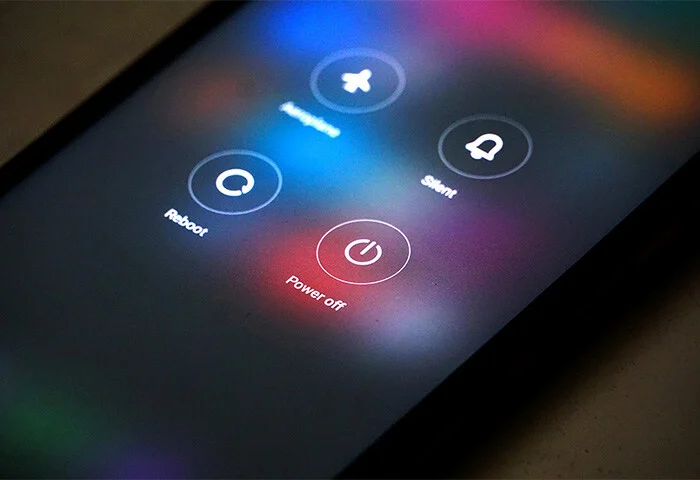
Many smartphone users notice that their device seems to work faster immediately after a restart. Apps open more quickly, the system feels smoother, and delays that previously existed suddenly disappear. This experience is very common across both Android and iOS devices.
The reason your smartphone feels faster after restarting is related to how operating systems manage memory, background processes, temporary files, and system resources. A restart clears many of these accumulated processes, allowing the phone to start fresh and operate more efficiently.
Understanding why restarting improves smartphone performance can help you maintain your device and keep it running smoothly.
What Happens When You Restart a Smartphone
Restarting a smartphone essentially shuts down all running processes and reloads the operating system from scratch. When the device powers back on, it begins running only the essential system services required for operation.
Over time, smartphones accumulate temporary processes, background tasks, and cached data. These processes consume memory and processing power. Restarting removes many of these temporary loads and allows the device to run with fewer active tasks.
This reset gives the impression that the phone has suddenly become faster.
RAM Gets Cleared During a Restart
One of the biggest reasons smartphones feel faster after restarting is the clearing of RAM.
RAM, or Random Access Memory, is the temporary memory your phone uses to run apps and processes. Every time you open an app, play a game, or browse the internet, some of your phone’s RAM is used.
As more apps run in the background, RAM becomes increasingly occupied. When RAM is nearly full, the device must work harder to manage memory, which can slow down performance.
Restarting the phone clears this temporary memory, freeing up RAM for new tasks. With more available memory, apps can open and run faster.

Background Apps Stop Running
Many apps continue running in the background even after you close them. These apps may check for updates, send notifications, refresh content, or track data.
Examples include:
Social media apps
Messaging apps
Email services
Cloud storage apps
Location services
While these background activities are useful, they consume processing power and system resources.
When you restart your smartphone, most background apps stop running until they are opened again. This reduces system load and allows the phone to perform more efficiently.
Temporary System Cache Is Cleared
Smartphones store temporary files called cache to speed up tasks. Cache files help apps load faster by storing frequently used data.
However, over time these temporary files can accumulate in large quantities. Excessive cache data can slow down system performance or cause apps to behave unpredictably.
Restarting the phone clears certain temporary caches and refreshes system processes. This helps restore smooth operation.
Software Processes Reset
Operating systems rely on many background services to manage hardware components such as the camera, sensors, display, and network connections.
Occasionally, some of these services may experience minor glitches or inefficiencies while running continuously for long periods.
Restarting the device resets these services and reloads them in a clean state. This process removes small errors that may have developed during extended use.
Network Connections Refresh
Another benefit of restarting a smartphone is the refresh of network connections.
Mobile networks, Wi-Fi connections, and Bluetooth systems all rely on active communication between the device and external networks. Sometimes these connections may slow down or become unstable.
When the phone restarts, it reconnects to networks from scratch. This often improves signal strength and connection speed.
App Conflicts Are Temporarily Removed
Smartphones run many apps simultaneously. Occasionally, two or more apps may compete for the same system resources.
These conflicts can cause delays, freezing, or slower performance.
Restarting the device closes all running apps and removes temporary conflicts. When the phone starts again, apps reload without interference from previously running tasks.
Battery Performance May Improve
Heavy background processes can also affect battery consumption. When apps constantly run in the background, they consume both battery power and processing resources.
After a restart, many unnecessary background processes stop running. This reduces system load and can slightly improve battery performance.
Although restarting does not permanently fix battery issues, it can temporarily optimize power usage.
How Often Should You Restart Your Smartphone
Restarting a smartphone occasionally can help maintain performance.
Many technology experts recommend restarting your phone at least once every few days or once per week. This helps clear temporary processes and refresh system resources.
If your phone starts feeling slow, freezing frequently, or experiencing network issues, a restart is often the quickest solution.
Additional Ways to Keep Your Smartphone Running Smoothly
While restarting helps improve performance, several other habits can keep your smartphone running efficiently.
Keep Your Software Updated
Operating system updates often include performance improvements, bug fixes, and security enhancements.
Installing updates regularly ensures your phone runs the latest optimized software.
Remove Unused Apps
Apps that you rarely use still occupy storage space and may run background services.
Deleting unnecessary apps reduces system load and frees up storage.
Clear App Cache Occasionally
Clearing cached data from apps can help prevent excessive storage usage and improve responsiveness.
Monitor Storage Space
When storage becomes nearly full, smartphones may slow down because the system has limited space to store temporary files.
Maintaining sufficient storage space improves performance.
Limit Background App Activity
Some devices allow users to control which apps run in the background. Restricting unnecessary background activity can improve both speed and battery life.
Why Smartphones Slow Down Over Time
It is normal for smartphones to slow down gradually as they accumulate more apps, files, and system processes.
Continuous use without restarting can allow temporary processes to build up, which reduces available system resources.
Restarting the device provides a quick reset that helps restore smoother performance.
When Restarting May Not Fix Performance Problems
While restarting often improves performance, it is not a permanent solution for all issues.
If your phone remains slow after restarting, other factors may be involved, such as:
Insufficient storage space
Outdated operating system
Hardware limitations
Malware or problematic apps
In these cases, further troubleshooting may be required.
Conclusion
The reason your smartphone feels faster right after a restart is because the device temporarily clears memory, closes background apps, resets system processes, and refreshes network connections.
These actions reduce system load and allow the phone to operate more efficiently.
Although restarting does not permanently solve all performance issues, it is a simple and effective way to refresh your smartphone and restore smoother operation. By combining regular restarts with good device maintenance habits, you can keep your smartphone running faster and more reliably.