How Ergonomic Workstations Improve Performance in 24/7 Command Centers
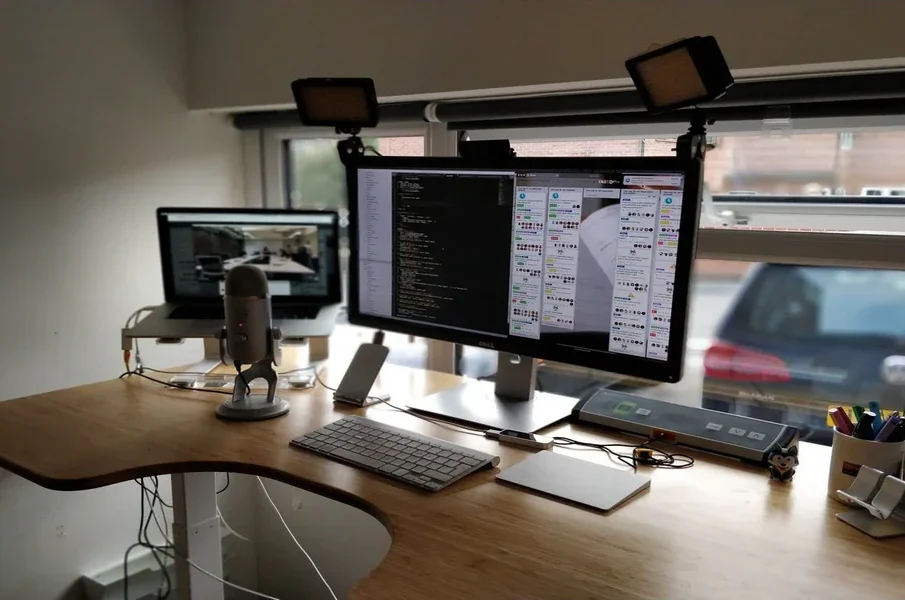
Command centers never stop, and operators must stay alert through long shifts while managing critical information. Physical discomfort, poor workstation layout, and limited personalization can reduce concentration over time. Ergonomic workstations help create a comfortable environment that supports consistent performance throughout every shift.
Features such as adjustable desk height, monitor positioning, lighting, and personalized workstation climate control allow each operator to create a workspace that matches individual preferences. This article explains how ergonomic workstations help improve comfort, focus, and productivity in 24/7 command centers.
Improve Operator Focus
Comfort directly affects attention during critical operations. Proper monitor placement, adjustable lighting, and personal temperature settings reduce distractions that interrupt concentration. Operators who remain comfortable spend less time on workstation adjustments and more time on essential tasks. Centralized controls allow several workstation features to work together, which helps maintain a productive environment.
Support Faster Decision Making
Emergency response, utility management, transportation, and security operations require quick decisions based on accurate information. Ergonomic workstations place displays, controls, and accessories within comfortable reach, which reduces unnecessary movement. Adjustable monitor layouts improve screen visibility and help reduce neck and eye strain. Better workstation organization allows staff to locate important information more quickly during high-pressure situations.
The following workstation features support faster decision-making:
- Clear monitor layouts improve access to important information.
- Adjustable equipment keeps essential controls within easy reach.
- Organized work surfaces reduce unnecessary movement.
- Comfortable work positions allow better concentration during complex tasks.
- Simple workstation controls help operators respond without delay.
Adapt to Multiple Operators
Why do shared workstations need personalization? Many command centers operate around the clock, and several employees may use the same workstation throughout the day. Modern ergonomic systems allow each operator to save personal preferences for desk height, monitor position, lighting, and climate. Saved profiles restore those settings with minimal effort at the beginning of each shift. This flexibility creates a comfortable workspace for every operator without repeated manual adjustments.
Improve Workspace Organization
An organized workstation supports smoother daily operations. Adjustable monitor systems reduce clutter while improving visibility across multiple displays. Integrated cable management, lighting controls, and ergonomic layouts create a cleaner workspace with fewer distractions. A well-organized workstation also helps operators maintain focus during extended monitoring and communication tasks.
Reduce Physical Fatigue
Long hours at a workstation can place continuous strain on the neck, shoulders, back, and wrists. Ergonomic workstations reduce that strain through adjustable desk heights, flexible monitor placement, and seating positions that support better posture. Many modern systems also include personalized workstation climate control, allowing each operator to adjust heating or cooling for greater comfort throughout the shift. Personalized settings can be saved and recalled with little effort, which makes shift changes much easier.
The following workstation features help reduce physical fatigue:
- Adjustable desk height allows operators to change work positions throughout the shift.
- Flexible monitor placement supports a comfortable viewing angle.
- Personalized temperature controls help maintain individual comfort.
- Preset workstation settings save time during shift changes.
- Proper ergonomic layouts support better posture during daily tasks.
Support Long Shift Productivity
Operators in 24/7 command centers must maintain consistent performance throughout extended work periods. Sit-to-stand workstations, perfect lighting, personalized climate controls, and saved workstation presets help reduce discomfort during long shifts. Some systems also include wellness features that track sitting and standing time to encourage healthier work habits. Together, these ergonomic features support sustained productivity while helping operators remain comfortable and engaged throughout the day.
Ergonomic workstations support better performance by improving comfort, organization, and daily efficiency in mission-critical environments. Adjustable features, personalized settings, and well-planned layouts help operators remain focused throughout demanding shifts. Organizations that invest in ergonomic workstation design create a more productive environment where employees can perform critical tasks with greater consistency, comfort, and confidence every day.